JCB 3DX Backhoe Loader Manual Guide: Service, Parts and Operator PDF Manuals
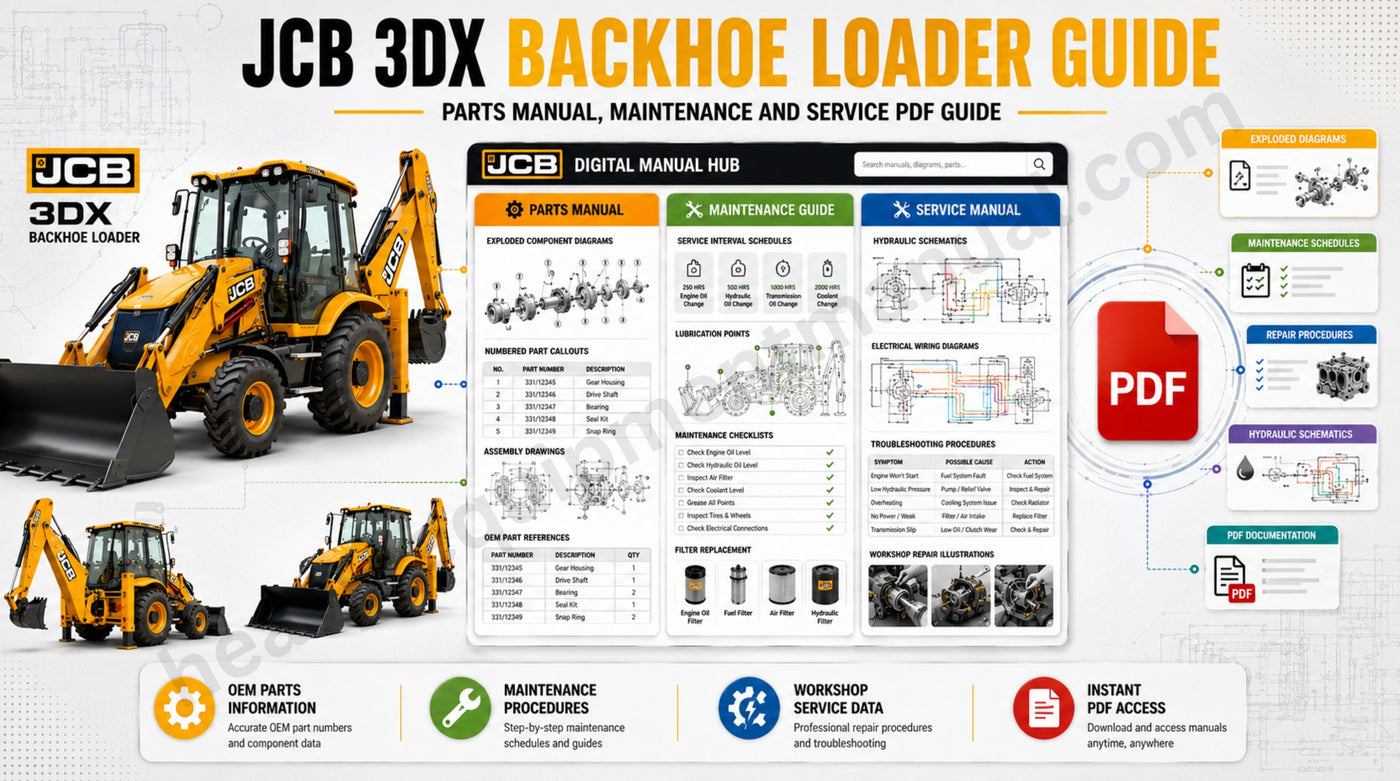
If you own, operate, or wrench on a JCB 3DX, the manual you download matters almost as much as the manual itself. A service manual won't help you order a part number. An operator's manual won't walk you through a hydraulic pump overhaul. And downloading a generic "JCB manual" that doesn't match your engine type or serial number range can leave you with torque specs, wiring diagrams, or parts diagrams that don't actually fit your machine.
This guide answers the exact questions people search before buying a JCB 3DX backhoe loader manual — which one you need, how the 3DX, 3DX Xtra, 3DX Super, and 4DX manuals differ, how to match a manual to your serial number, and what's actually inside a service repair manual, parts manual, and operator manual.
Why Does the Right JCB 3DX Manual Matter So Much?
JCB has built the 3DX platform for decades, across multiple engine generations (from mechanical diesel through BS II and later JCB Ecomax engines), several chassis updates, and regional variants built specifically for the Indian and export markets. Two backhoe loaders that look identical from the seat can have completely different:
- Engine parts and torque specifications
- Hydraulic pump and valve configurations
- Electrical wiring layouts
- Part numbers for the exact same-looking component
Ordering a part or attempting a repair using the wrong publication can cost you a mismatched part, a failed diagnosis, or hours of wasted labor. That's why every JCB manual on the market is tied to a publication number and, in most cases, a specific serial number range — and it's why matching your manual to your machine, before you buy, is the step that saves you money.
What Is the Difference Between JCB 3DX, 3DX Xtra, 3DX Super, and 4DX?
Since its launch, JCB has expanded the 3DX lineup into several sub-variants — 3DX, 3DX Plus, 3DX Xtra, 3DX Super, and the larger-frame 4DX — each aimed at a slightly different workload:
|
Variant |
Best Suited For |
Notable Differences |
|
JCB 3DX |
Everyday digging, loading, general contracting |
Standard-spec workhorse; entry point of the series |
|
JCB 3DX Plus |
Mixed-duty sites needing balanced versatility |
Mid-spec upgrades over base 3DX |
|
JCB 3DX Xtra |
Deeper digging, higher loading volumes |
Increased digging depth, improved breakout force, higher pump flow |
|
JCB 3DX Super |
All-terrain, heavy-duty, long-shift operations |
4WD standard, 6-in-1 bucket, Smooth Ride System, higher torque rating |
|
JCB 4DX |
Larger-frame, higher-capacity jobs |
Bigger chassis and higher-capacity hydraulics than the 3DX family |
Because JCB documents several of these variants together in a single publication — the service manual and operator's manual commonly cover 3DX Super, 3DX Xtra, and 4DX as one set — it's worth checking your model plate rather than assuming a manual only applies to one variant name. Engine designation is another split point: JCB 3DX machines were built with earlier BS II mechanical engines and later with the JCB Ecomax common-rail engine, and each generation has its own parts breakdown and service data.
What's the Difference Between a Service Manual, Parts Manual, and Operator Manual?
This is the single most common point of confusion when people search for a "JCB 3DX backhoe loader manual," so let's separate the three clearly.
What's in a JCB 3DX Service Repair Manual?
This is the workshop-grade document built for technicians and serious DIY mechanics. A genuine JCB 3DX service repair manual is organized the way JCB structures all its factory publications — numbered general sections followed by alphabetically coded system sections:
- General Information — machine identification, torque settings, service tools
- Care and Safety — safety notices and workshop precautions
- Maintenance — service schedules, fluid types and capacities, lubrication points
- Attachments, Body & Framework, Electrics, Controls, Hydraulics, Transmission, Brakes, Steering, and Engine — dismantling, overhaul, and rebuild procedures for each system
This is the manual you want for diagnosing hydraulic faults, rebuilding the transmission, tracing electrical faults, or doing any structured repair beyond routine maintenance.
What's in a JCB 3DX Parts Manual PDF?
A parts manual (also called a parts catalog) is not a repair guide — it's a part-number lookup tool. It contains exploded-view diagrams of every assembly on the machine, matched to OEM part numbers and short descriptions, so you can identify and order the correct component without guesswork. Because JCB assigns parts manuals to specific serial number ranges (for example, a 3DX Engine BS II parts manual might only cover serials 1484489–1484537), it's the manual type most sensitive to getting the serial number match right.
What's in a JCB 3DX Operator Manual?
The operator's manual is written for the person running the machine, not repairing it. It covers safe start-up and shutdown, control layout, daily walk-around checks, attachment use, and basic operator-level maintenance like fluid checks and greasing points. JCB commonly issues one operator manual publication that covers the 3DX, 3DX Xtra, 3DX Super, and 4DX together — and a separate edition for machines fitted with the JCB Ecomax engine — so operators should confirm which engine their machine runs before downloading.
How Do I Find the Right JCB 3DX Manual for My Serial Number?
Every JCB 3DX carries a machine identification plate on the loader tower, with a serial number that pins down exactly which parts, engine, and chassis specification your unit left the factory with. Before buying any manual:
- Locate your serial number on the machine ID plate — JCB documentation covers this in Section 1, General Information, of the service manual.
- Check the engine type — mechanical BS II diesel vs. JCB Ecomax common-rail — since parts manuals and operator manuals are frequently split by engine.
- Compare against the manual's stated serial range. Parts manuals in particular are published in serial-number "batches" (for example, SN 1484489–1484537 vs. SN 1484569–1484574), and a manual outside your range may not reflect your machine's actual part numbers.
- When in doubt, ask before you buy. A quick message to the seller with your serial number is the fastest way to avoid downloading the wrong publication.
Where Can I Download the Right JCB 3DX Manual?
Once you've confirmed your model, engine, and serial number, here are places to start:
- JCB 3DX ENGINE BS II Backhoe Loader Parts Manual — SN 1484489–1484537 — exploded diagrams and OEM part numbers for attachments, electrics, hydraulics, engine, and controls.
- JCB 3DX ENGINE BS II Backhoe Loader Parts Manual — SN 1484569–1484574 — a neighboring serial batch; check your ID plate closely, as the part-number breakdowns can shift between ranges.
For the full range of JCB documentation — service manuals, parts catalogs, and operator guides across backhoe loaders, excavators, telehandlers, and wheel loaders — browse the complete JCB manuals PDF collection.
Related reading:
- Unlock the Full Potential of Your JCB Equipment with Comprehensive Manuals
- Comprehensive JCB Service and Operator Manuals for All Your Equipment Needs
What Should a Quality JCB 3DX Manual Listing Include?
Not every PDF sold online is created equal. Before you buy, confirm the listing tells you:
- Exact model coverage (3DX, 3DX Xtra, 3DX Super, 4DX — and which ones, specifically)
- Engine type (BS II mechanical vs. JCB Ecomax)
- Serial number range the manual applies to
- Publication number, so you can cross-reference it against JCB's own documentation
- Searchable, bookmarked PDF format rather than a flat scanned image, so you can jump straight to the section you need
Frequently Asked Questions
What's the difference between a JCB 3DX service manual and a parts manual? A service manual covers repair, overhaul, and diagnostic procedures. A parts manual only shows exploded diagrams and OEM part numbers for ordering — it doesn't include repair steps or torque instructions.
Does one operator manual cover the JCB 3DX, 3DX Xtra, 3DX Super, and 4DX? Often yes, JCB commonly issues one operator manual spanning all four models. Machines with the JCB Ecomax engine usually need a separate edition, so confirm your engine type first.
Where is the JCB 3DX serial number located? It's stamped on the machine identification plate mounted on the loader tower. The service manual's general information section shows exactly where to find and read it.
Is the JCB 3DX manual PDF the same as the printed dealer manual? Yes, reputable sellers provide the same factory content JCB dealers use. It's delivered as a searchable, bookmarked PDF instead of a printed binder, covering identical procedures and specifications.
Can I use a JCB 3DX manual for a 3DX Xtra or 3DX Super? Sometimes, since many JCB publications cover multiple 3DX-series variants in one document. Always verify the exact model and serial coverage stated in the listing rather than assuming from the name.
What information is in a JCB 3DX engine parts manual? Engine-specific parts manuals break down the fuel system, cooling system, and internal engine components with exploded diagrams and OEM part numbers, kept separate from the rest of the machine's parts catalog.
How often does a JCB 3DX need servicing? Service intervals vary by system, with routine checks, fluid changes, and filter replacements scheduled at set operating-hour milestones. Your specific manual's maintenance section lists the exact hours for your model.
Is there a free JCB 3DX manual PDF available? Free scanned copies circulate online, but they're often incomplete, low-resolution, or mismatched to your serial number. A verified, serial-matched PDF avoids costly guesswork on parts and repairs.
What's the difference between JCB 3DX Super and JCB 3DX Xtra manuals? Both are often documented together, but Super and Xtra machines carry different hydraulic, drivetrain, and bucket specifications. Confirm your model designation on the ID plate before ordering a manual.
Final Word
The fastest way to waste money on a JCB 3DX manual is buying based on the model name alone. Match your serial number and engine type first, decide whether you need a service manual, parts manual, or operator manual based on the job in front of you, and you'll have exactly the reference your 3DX — or 3DX Xtra, 3DX Super, or 4DX — actually needs.
Browse the full JCB manuals PDF collection to find your exact model and serial range.
-
Posted in
Backhoe Loader Repair Manual PDF, Heavy Equipment Parts Catalog PDF, JCB 3DX Backhoe Loader Manual, JCB 3DX Engine Parts Manual, JCB 3DX Operator Manual, JCB 3DX Parts Manual PDF, JCB 3DX Service Repair Manual, JCB 3DX Super Manual, JCB 3DX Xtra Manual, JCB 4DX Operator Manual, JCB Manuals PDF Heavy Equipment Manual