How to Troubleshoot Hydraulic and Engine Issues Using a Manual
Keeping heavy equipment in peak condition depends on more than just routine maintenance — it’s about knowing how to troubleshoot problems quickly and accurately. Whether you operate a Caterpillar, Case, Komatsu, or Bobcat, understanding how to use your service and repair manuals for hydraulic and engine diagnostics can save time, reduce downtime, and prevent costly breakdowns.
At Operators and technicians across the USA, Canada, and Australia rely on downloadable PDF manuals to handle everything from hydraulic malfunctions to engine performance issues — without needing constant dealer intervention.
Why Manuals Are Your Best Troubleshooting Tool
Every piece of heavy machinery — whether it’s an excavator, loader, tractor, or forklift — is engineered with complex systems. When a warning light flashes or power drops unexpectedly, guessing the cause can lead to wasted hours and unnecessary part replacements.
That’s where the OEM service manual becomes essential. These manuals provide:
-
Systematic troubleshooting charts for hydraulic, fuel, and electrical systems
-
Engine diagrams and specifications for precise repair work
-
Diagnostic codes and symptom-based fault lists
-
Step-by-step repair and adjustment procedures
By following these documented steps, operators can isolate issues accurately and perform maintenance safely.
Step-by-Step: Troubleshooting Hydraulic Problems
Hydraulic issues are among the most common in heavy machinery. Symptoms like slow movement, overheating, or fluid leaks often indicate underlying problems. Using your hydraulic system manual, follow these essential steps:
1️⃣ Identify the System Section:
Refer to the “Hydraulic Schematics” section of your manual. Each diagram highlights pump types, pressure relief valves, and cylinder connections.
2️⃣ Check Hydraulic Fluid Levels & Quality:
Low or contaminated fluid is a leading cause of poor system performance. Manuals outline the correct fluid types, viscosity, and change intervals.
3️⃣ Test Hydraulic Pressure:
Use the troubleshooting chart to determine expected PSI values. Compare readings using a pressure gauge at the test port locations shown in the manual.
4️⃣ Inspect Hoses and Seals:
Your manual provides diagrams for each hose connection, helping you trace potential leaks or blockages systematically.
5️⃣ Follow the Stepwise Repair Procedure:
Manuals include torque values and assembly instructions to replace damaged components like valves, pumps, or cylinders correctly.
🧭 Pro Tip: Never replace hydraulic components without confirming the root cause. Manuals often include a “Probable Cause & Remedy” section that links each symptom to its source.
Step-by-Step: Troubleshooting Engine Problems
Engine failures can halt productivity instantly. Modern diesel engines, like those in Caterpillar, Komatsu, or Kubota equipment, require precision when diagnosing. Here’s how to effectively use your engine manual PDF:
1️⃣ Locate the Engine Family Section:
Find the engine series (e.g., Komatsu 6D102E, CAT 3508, or Kubota V2403). Manuals include model-specific repair data.
2️⃣ Start with the Symptom Index:
Most manuals list issues like “engine won’t start,” “loss of power,” or “excessive smoke,” each linked to potential causes and diagnostic checks.
3️⃣ Use Wiring and Fuel System Diagrams:
Cross-reference your manual’s electrical schematics to test fuel injectors, sensors, and control modules safely.
4️⃣ Follow the Compression and Pressure Testing Guides:
Service manuals detail proper compression ranges and the tools required for measurement — helping confirm engine health without unnecessary teardown.
5️⃣ Adjust and Replace as per OEM Specs:
If components need servicing, follow the torque, clearance, and timing specifications directly from your manual.
Common Problems You Can Solve Using Manuals
|
Issue |
Likely Cause |
Manual Section to Check |
|
Low hydraulic pressure |
Clogged filters or a worn pump |
Hydraulic System Troubleshooting |
|
Engine overheating |
Coolant blockage or failed thermostat |
Engine Cooling System |
|
Unresponsive controls |
Electrical fault or low voltage |
Electrical Schematics |
|
Slow cylinder response |
Air in lines or internal leakage |
Hydraulic Maintenance |
|
Excessive engine smoke |
Faulty injectors or air filter |
Fuel System / Air Intake |
Using manuals ensures accurate identification and safe resolution of these problems — without guesswork.USA
Where to Get the Right Manuals
At Heavy Equipment Manual, you’ll find a complete collection of manuals for brands like:
-
Caterpillar Manuals – covering engines, loaders, and hydraulic systems.
-
Case IH Manuals – including forklift, tractor, and header parts diagrams.
-
Komatsu Manuals – featuring engine and hydraulic repair guides.
-
Bobcat Manuals – perfect for skid steer and compact loader operations.
Each manual is an instant downloadable PDF, fully searchable and printable, making troubleshooting faster and more reliable on-site.
Frequently Asked Questions (FAQs)
Q1: How do I know which manual suits my equipment?
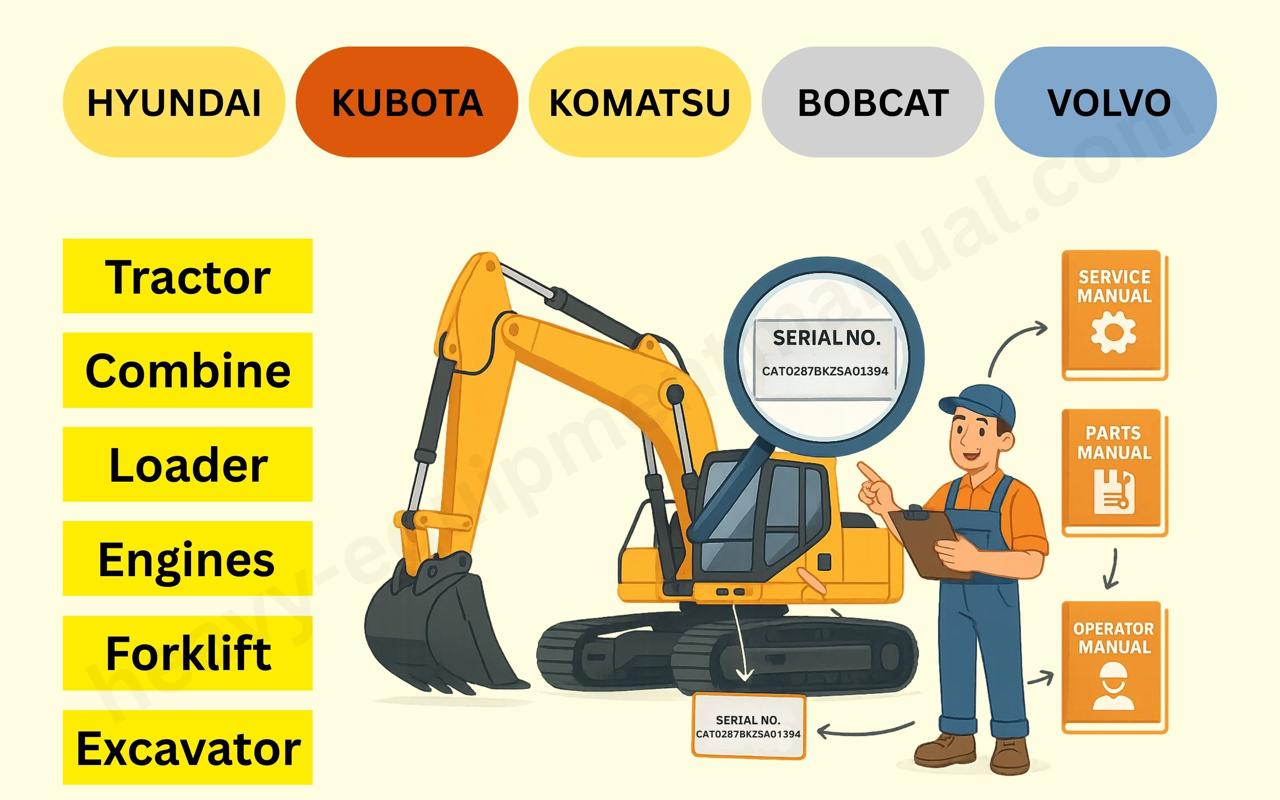
Check your model and serial number — every manual title at Heavy Equipment Manual lists compatible machines.
Q2: Are these manuals printable?
Yes! You can print full sections or specific pages for workshop use.
Q3: Can I use these manuals offline?
Absolutely. Once downloaded, they’re accessible on any device — laptop, tablet, or mobile.
Q4: Do manuals include hydraulic and engine diagrams?
Yes, each manual provides complete hydraulic schematics, wiring layouts, and exploded component views.
Q5: Are troubleshooting charts easy to follow for non-technicians?
Yes. Manuals use simple flowcharts and labeled diagrams suitable for both beginners and professionals.
Final Thoughts
Whether you’re diagnosing hydraulic faults in a Caterpillar loader or fixing engine issues in a Case IH tractor, using an official manual is your best ally.
Instead of trial-and-error, you get step-by-step precision, factory specifications, and safety-tested procedures — all in one searchable PDF.
Explore our full library of manuals today at Heavy Equipment Manual and take control of your equipment maintenance like a pro.